
48K128K20 November 2026
The border does the showing off
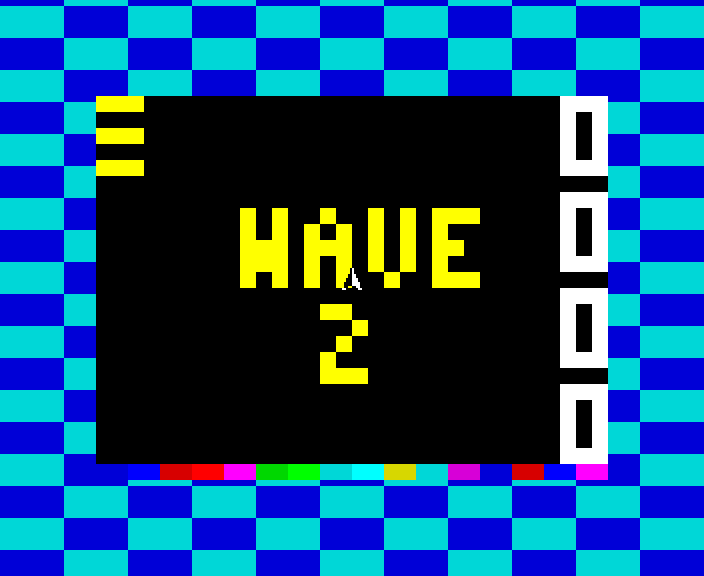
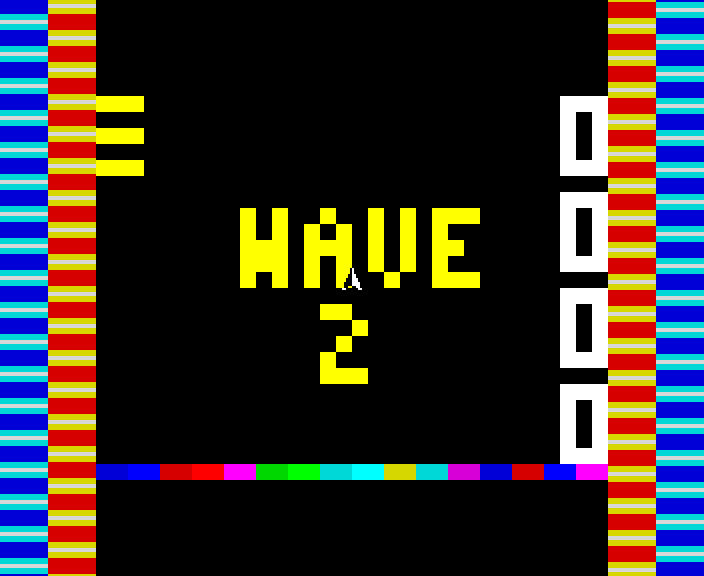
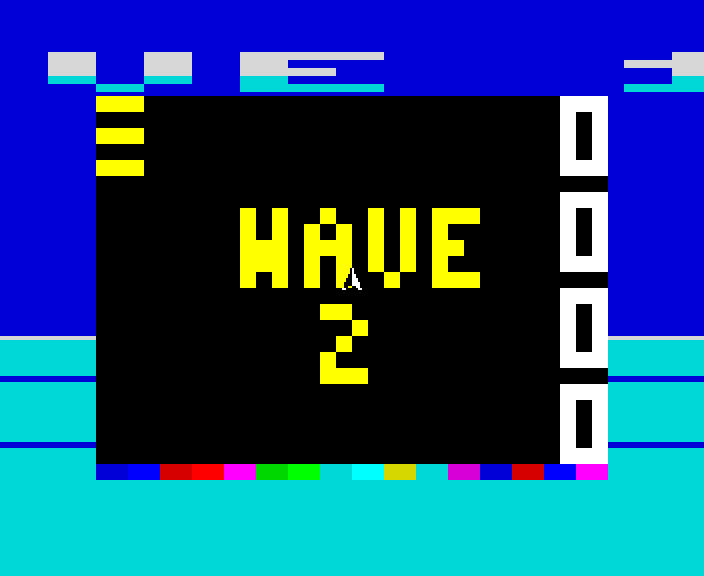
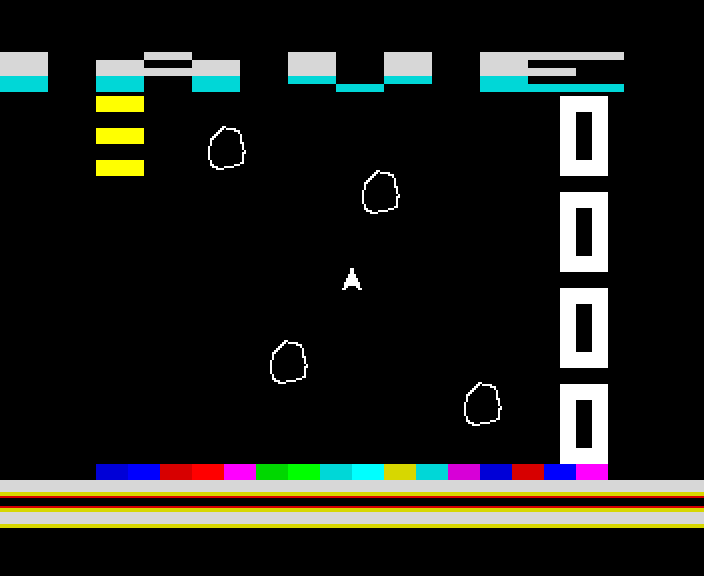
The playfield is stark black, so the border has the colour: a ticker scrolling across the top, bars along the bottom that move to the music, a flash while you thrust, and between waves a set piece - a checkerboard, side stripes or a cloudy sea.
A Spectrum's border is just one colour at a time. Change it at the right moment, though, and the TV draws the new colour from exactly that point on its way down the screen. Do that a few hundred times a frame, each change at an exact moment, and the border can carry pictures.
Shardstorm does that while the game runs: the top 24 lines of border hold a ticker with the wave, the high score to beat and messages such as NEW HIGH SCORE! and LAST LIFE!; on a 128K the bottom 24 hold bars that move to the tune; and between waves the whole border puts on a set piece for three seconds.
How it works
Timed to the T-state
Every colour change is timed to the processor's cycle, and the 48K and the 128K run at different speeds, so the border code is built twice, once for each, and the game loads the right one. The game's drawing has to fit round it, which is why the 48K, with only one screen, plays the lighter game.
On a +2A or +3
The bottom bars find the TV's beam by watching the bus for what the screen is fetching, which a +2A or +3 cannot do. Those two play without the bars and keep everything else.
Where it came from
The effects were tried out first in Border Lab on Borders & Loaders, the site about the border and tape tricks behind this game.
How it was checked
The build logs every write to the screen with its exact moment, and fails if one lands while the TV is drawing the playfield, or if a frame runs past its time on any of the three machines. It checks the ticker both with the interrupt line held as a real Spectrum holds it and without, as some emulators do.
Screens
As our emulator draws it
Full frames, border and all. Click a picture to see it bigger.
Download
Load it yourself
For the 48K and the 128K. A tape for each machine. The .tzx has it all: the jingle, the developing screen and the game in the box while it loads, and needs an emulator that plays tapes in real time. The .tap is the same without the jingle. The -instant.tap is the plain tape, for a DivMMC or instant loading.
- Pick your machine's tape. The 48K tape for a 48K; the 128K tape for a 128K, +2, +2A or +3 (pick Tape Loader, or Loader on a +2A or +3). Each says so if you load it on the other. The loader in the
.tzxand.taphas been checked against the 48K's and the 128K's timing; on a +2A or +3, whose timing differs a little, the-instant.tapis the safe one. - The
.tzxis the whole thing: a jingle on the tape, the loading screen developing, and a small game to play in its box while Shardstorm loads - with the tune on a 128K. Its own loader reads the tape, so the emulator must play it in real time, as ZX Spin, Retro Virtual Machine and Fuse do: switch off instant and fast loading. Press fire when it says LOADED. - The
.tapis the same without the jingle, for an emulator that only takes.tapfiles. - The
-instant.tapis the plain tape, every block for the ROM: for a DivMMC, or an emulator's instant loading, which skip any loader of its own. - On a real Spectrum: play the
.tzxinto the EAR socket from a TZX player.