
48K128K10 November 2026
Border Lab: eleven border effects
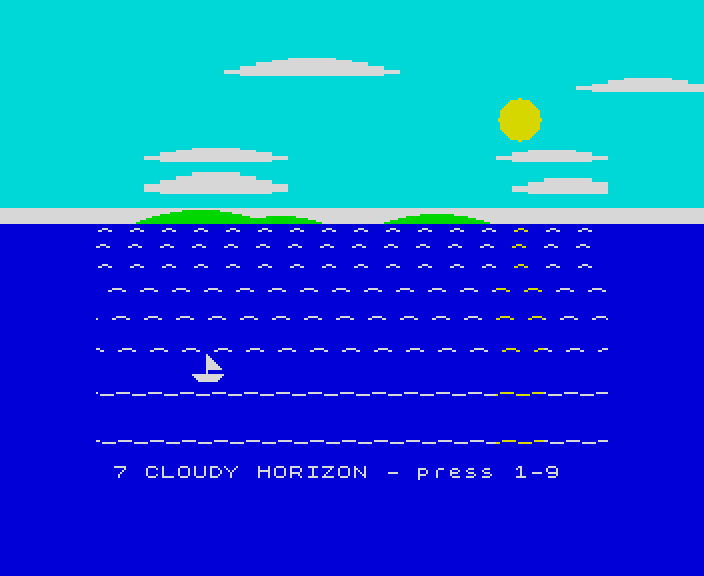
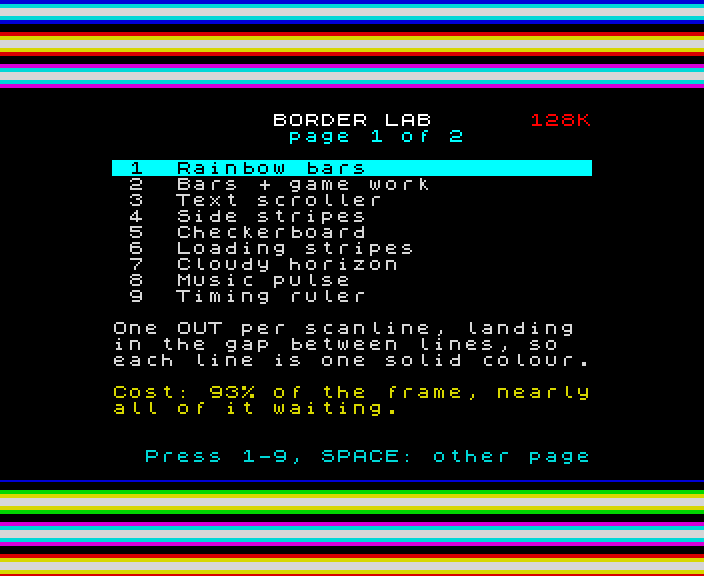
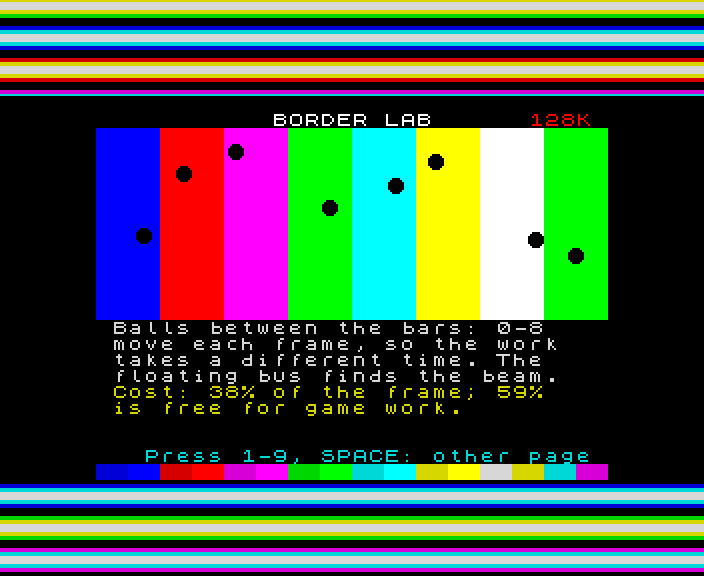
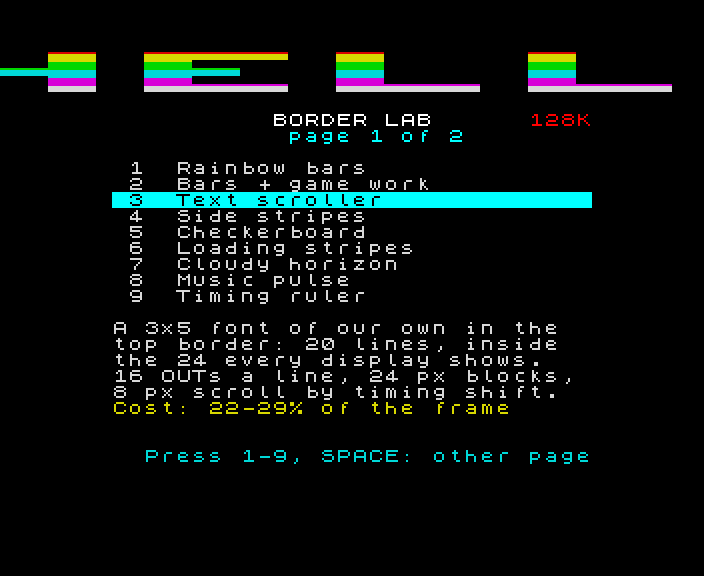
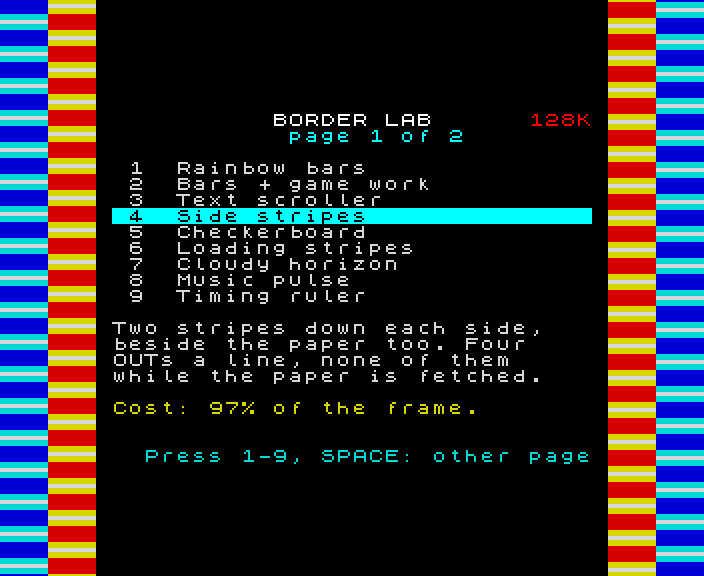
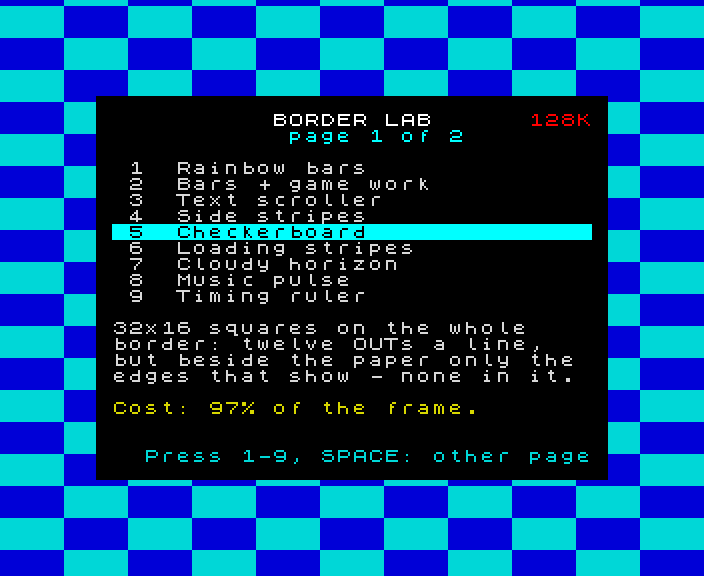
Rainbow bars, a text scroller, a checkerboard, loading stripes on purpose, a cloudy horizon carried out to the edge of the TV, a VU meter, a timing ruler - and Pong played in the border, and giant letters running round all four sides: one tape, for the 48K and the 128K.
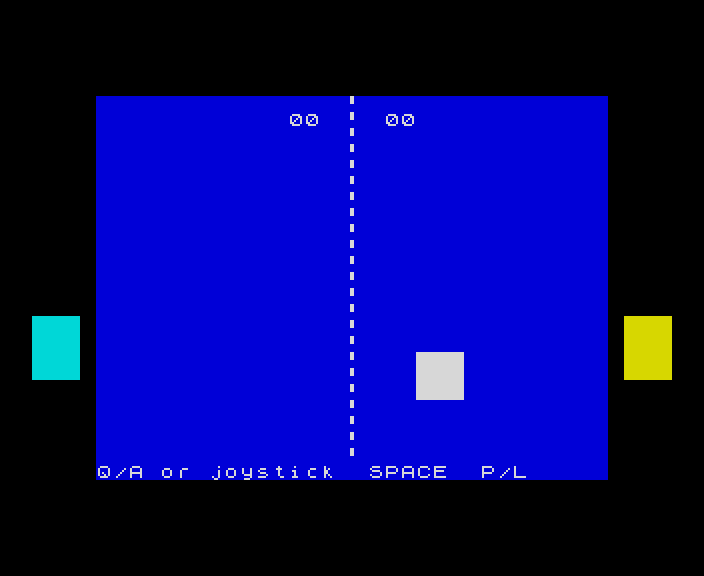
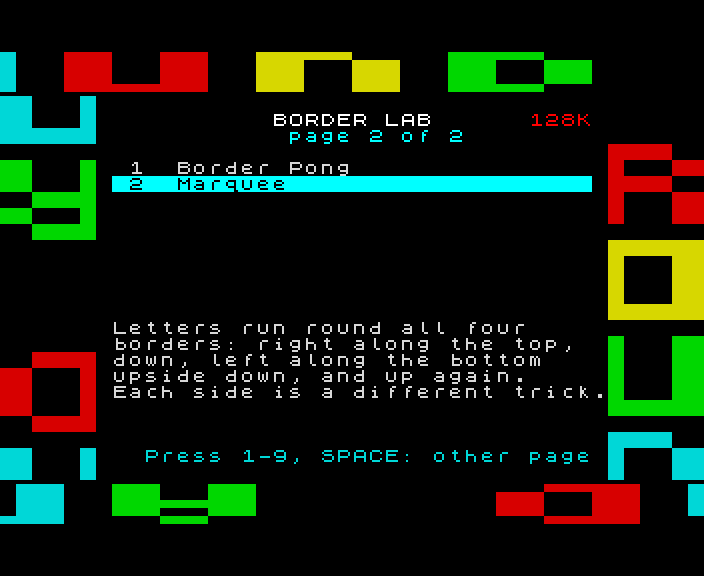
The test bench where the border effects were learned, before any of them went into a game. Pick an effect from the menu with keys 1 to 9; SPACE turns to a second page, with Pong played in the border and a marquee round the frame. Each one says on screen what it does and how much of the Spectrum's time it costs.
How it works
Why the border is hard
The border is one colour register, OUT to port 254. To change it partway down the screen, the code must write at the exact moment the TV's beam passes - and on the Spectrum that means counting T-states: 224 a line on the 48K, 228 on the 128K. While the beam draws the paper, the ULA holds the CPU up whenever it touches screen memory or that port, so writes there come late. Every effect here is timed to the T-state and checked frame by frame in our own emulator.
One tape, both machines
The tape holds two copies of the lab, one timed for each machine. A small boot program counts how far it gets round a loop in one frame, which tells the 48K from the 128K; a probe of the floating bus tells a 128K or grey +2 from a +2A, +2B or +3 (which have none). Just before each frame starts, a loop of reads from screen memory lines the CPU up with the ULA, so every effect starts on the same T-state every frame.
What displays show
Real displays crop the border: about 24 lines at the top and 32 pixels a side are all every one of them shows. So anything that has to be seen sits close to the paper, and the rest is decoration. Two effects learned this the hard way when their best parts vanished in an emulator.
Pong and a marquee
The second page has the two hardest. In Pong the ball's place in the top and bottom borders, and the bats' at the sides, mean colour changes placed across a line to the 8-pixel latch, wherever the game has put them - so every frame has one shape whatever the ball is doing: fixed-length routines chained together, and game logic with no branches, the same length every frame. One write in each paper line keeps the CPU locked to the ULA. The marquee turns its letters at the corners: the top and bottom strips run the full width, the sides carry three cells across, which is all a side border line can change in.
How it was checked
Checked by Border Lab's own build for every effect on both machines: where every border write lands, line by line, at all four points the interrupt can come; the tape loaded on both; every frame finished in time. Pong and the marquee are also decoded latch by latch, every frame, against models of the game and the text, and Pong's rules against a copy of them in JavaScript; a rally between scripted players, scoring both ways and the joystick are played through. Pong and the marquee are not yet seen in an emulator.
Screens
As our emulator draws it
Full frames, border and all. Click a picture to see it bigger.
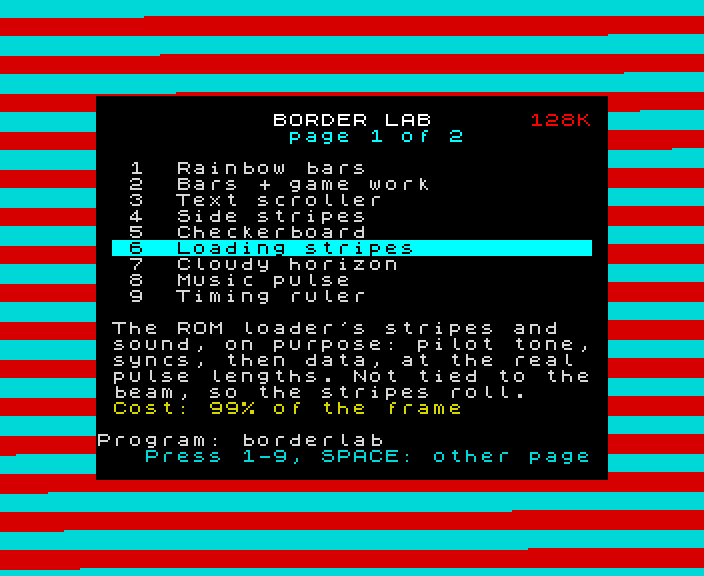
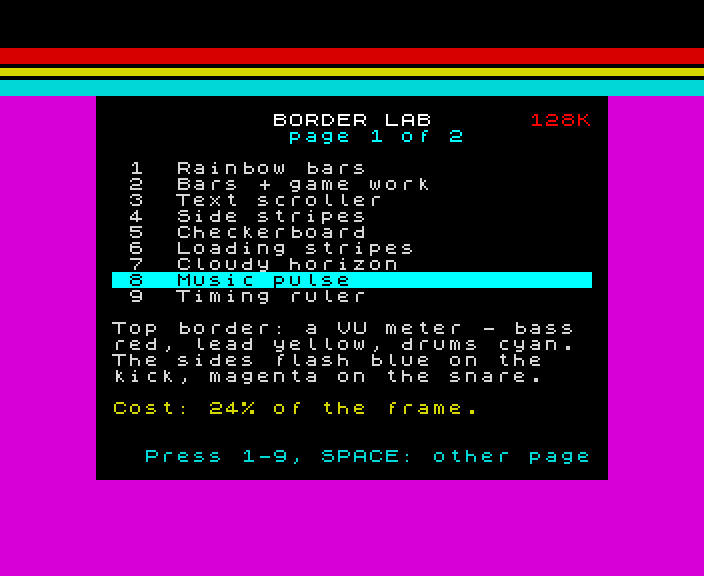
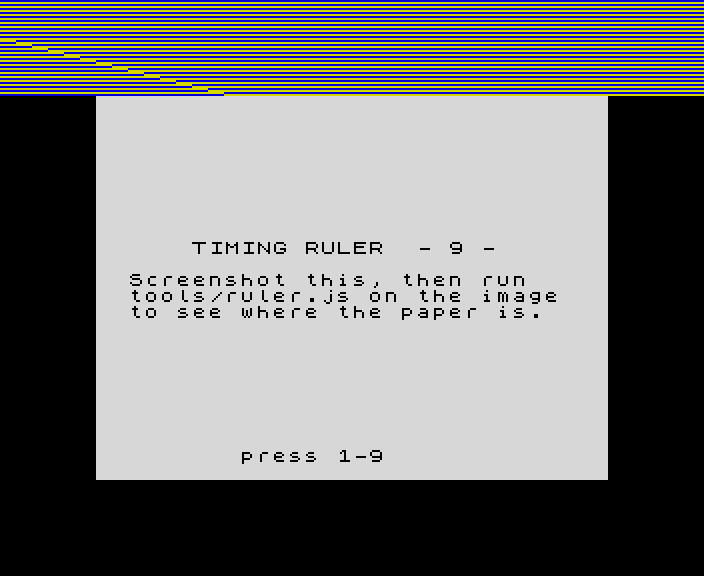
- In an emulator (ZX Spin, Retro Virtual Machine, Fuse and others): choose the machine the demo says - a 128K or +2 for the 128K ones - and open the
.tzxor the.tap. They hold the same blocks; use whichever your emulator prefers. On a 128K, pick Tape Loader; on a 48K, typeLOAD "". - Switch off instant and fast loading. The custom loaders read the tape signal themselves, edge by edge: an emulator that skips the tape skips the loader, and everything it does while it loads.
- On a real Spectrum: play the
.tzxinto the EAR socket from a TZX player. These are for the original machines' timing: the 48K, the 128K and the grey +2.