
48K128K20 November 2026
The game: rocks, a saucer, three lives
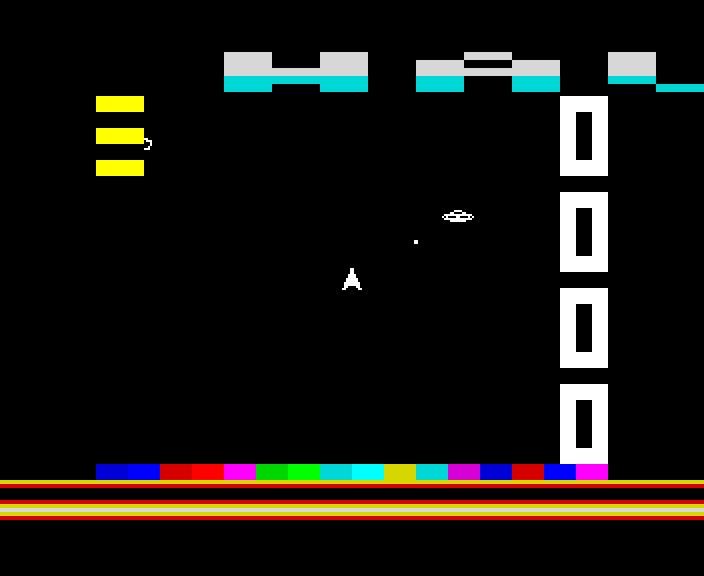
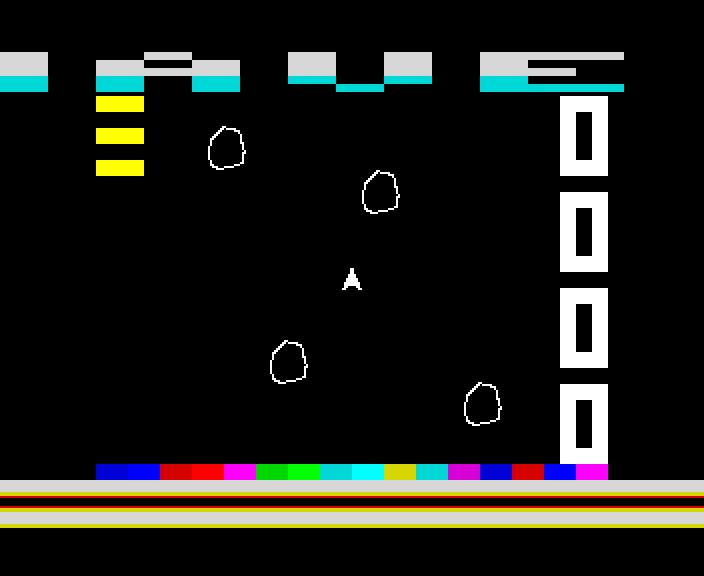
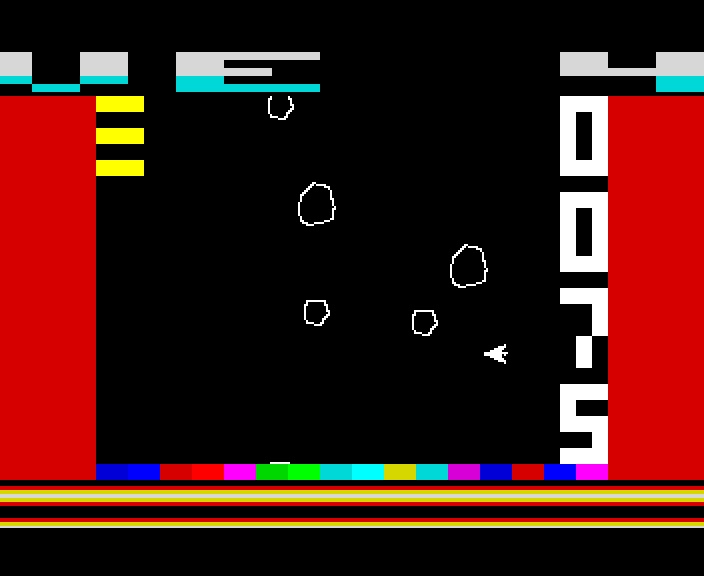
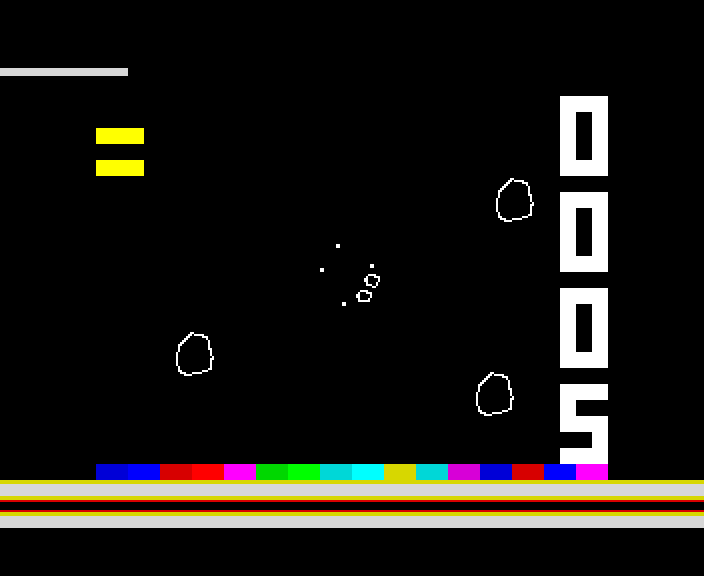
Turn, thrust and fire round a black playfield that wraps at every edge. Rocks split into smaller rocks when shot, and from wave 2 a saucer comes hunting once the rocks are few. Three lives, and a high score to beat.
You are a small ship on a black playfield with nowhere to hide: everything wraps round from one edge to the other. Shoot a large rock and it splits into medium ones, a medium into small, and a small one is gone. Clear the playfield and the next wave comes in. From wave 2, once only a few rocks are left, a saucer flies across, humming, and fires at you.
Turning speeds up the longer you hold it, the pieces of a rock fly on along your shot, and a hit is a hit only when the shapes really touch, to the pixel.
The tune, on a 128K's AY, 23 s
Its sounds: a shot, a hit, the warp, a crash, game over, the saucer's hum and its zap, 7 s
How it works
The keys
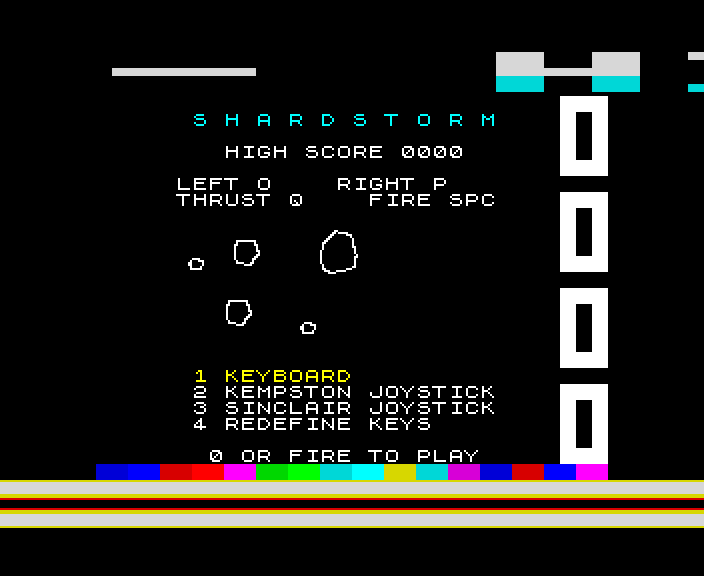
O and P turn, Q thrusts, SPACE fires. In the menu, 1 to 4 pick the keys, a Kempston joystick, a Sinclair joystick (6 7 8 9 0) or keys of your own; 0 or fire plays.
Points
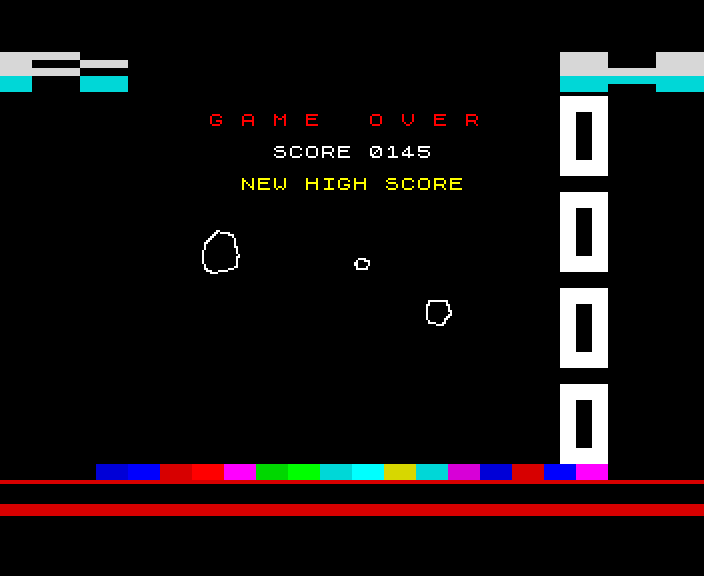
A large rock 2, a medium one 5, a small one 10, the saucer 50. The score runs down the right of the screen, your lives are the blocks at the top left, and the top border tells you the high score to beat, the wave, and when it is your last life.
48K and 128K
Both machines play the same game. The 48K's is a little lighter - no large rocks, at most four on the playfield at once - and its sounds are on the beeper. A 128K, +2, +2A or +3 has the large rocks, the tune and its effects on the AY chip, and draws on its second screen, so nothing ever flickers.
How it was checked
The build plays the game on a 48K, a 128K and a stand-in for the +2A and +3. It compares every screen it draws with what the game says should be there, pixel for pixel. It flies the ship off every edge on purpose, and tries the collisions at 15,552 positions against a model of the shapes. It follows a saucer from arriving to leaving, and checks that every frame finishes in time. Played by its author in an emulator; not yet tried on a real Spectrum.
Screens
As our emulator draws it
Full frames, border and all. Click a picture to see it bigger.
Download
Load it yourself
For the 48K and the 128K. A tape for each machine. The .tzx has it all: the jingle, the developing screen and the game in the box while it loads, and needs an emulator that plays tapes in real time. The .tap is the same without the jingle. The -instant.tap is the plain tape, for a DivMMC or instant loading.
- Pick your machine's tape. The 48K tape for a 48K; the 128K tape for a 128K, +2, +2A or +3 (pick Tape Loader, or Loader on a +2A or +3). Each says so if you load it on the other. The loader in the
.tzxand.taphas been checked against the 48K's and the 128K's timing; on a +2A or +3, whose timing differs a little, the-instant.tapis the safe one. - The
.tzxis the whole thing: a jingle on the tape, the loading screen developing, and a small game to play in its box while Shardstorm loads - with the tune on a 128K. Its own loader reads the tape, so the emulator must play it in real time, as ZX Spin, Retro Virtual Machine and Fuse do: switch off instant and fast loading. Press fire when it says LOADED. - The
.tapis the same without the jingle, for an emulator that only takes.tapfiles. - The
-instant.tapis the plain tape, every block for the ROM: for a DivMMC, or an emulator's instant loading, which skip any loader of its own. - On a real Spectrum: play the
.tzxinto the EAR socket from a TZX player.